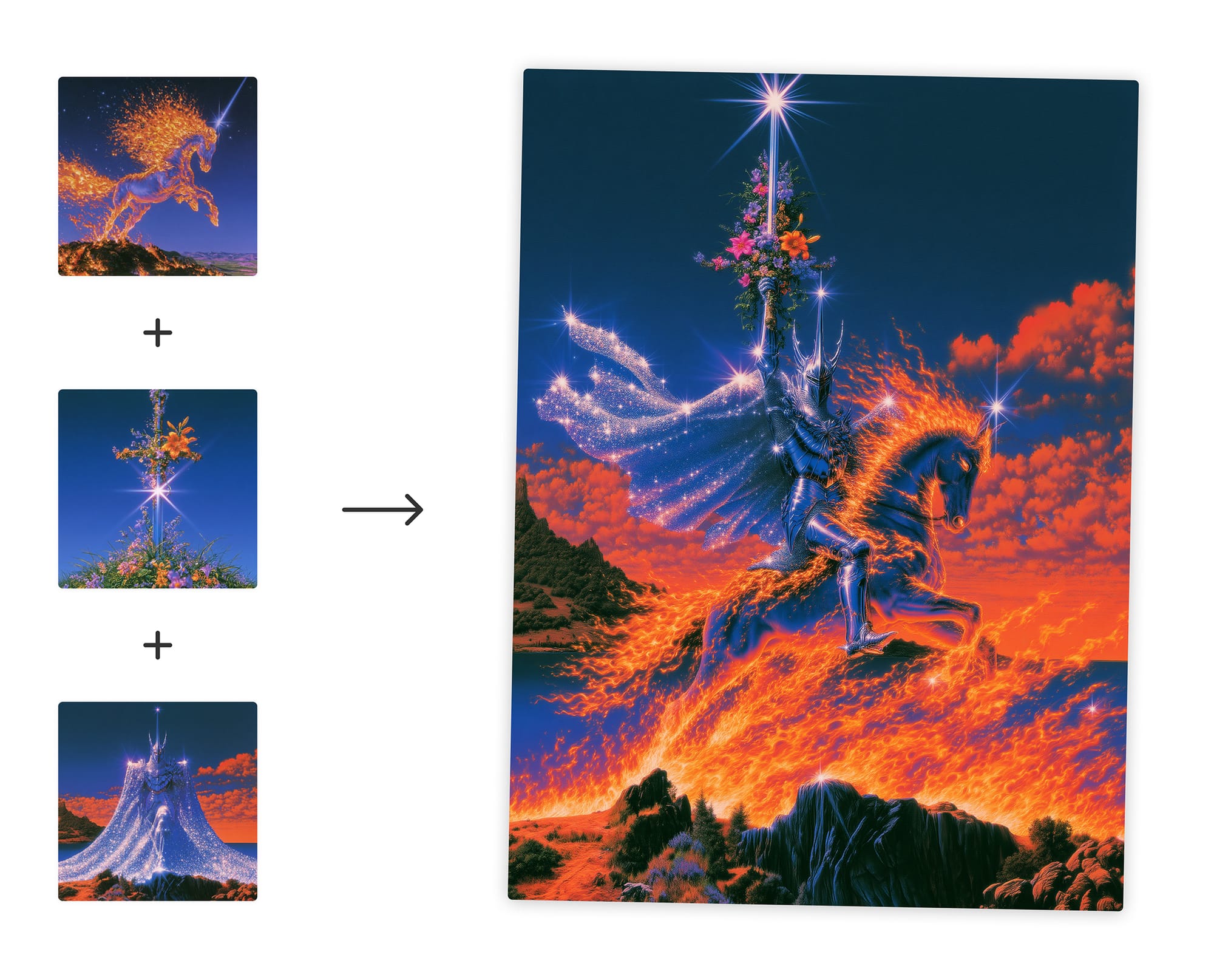
On August 27, 2026, Midjourney opened its V8.2 edit model to all users: text-based image editing, 4 reference images, inpainting, and outpainting shipped together as one package, replacing the old omni-reference. The thing to watch isn't the expanded feature set — it's the official line about "a lot of bugs." The UI is still in alpha, and Midjourney is actively asking users to report issues. The surprise twist: style reference parameters now require more prompt text, not less.
Edit Model Goes to Public Beta, 4-Image Reference Replaces Old API
On August 27, 2026, Midjourney opened its V8.2 edit model to all users for testing, bundling text-based image editing, 4-image reference, inpainting, and outpainting into a single toolkit. The old omni-reference was retired in the same release.
The full capability list in one go: edit images directly with text instructions, upload up to 4 images simultaneously for image-to-image generation (replacing omni-reference — i.e., "feeding images as prompts to the model"), inpainting (redrawing a specified region of the original image), and outpainting (extending the canvas outward). Also supported: personalization settings, moodboards, and srefs (style reference codes). The team specifically notes that the latter two "may work best with some extra prompt direction" in this version.
Four entry points are provided: drag an image into the prompt bar's "attach to prompt," click "edit" in the bottom-right corner of the lightbox (the full-screen viewer that appears when you click an image), upload via the "edit" tab on the left, or type --edit url... in Discord. The main site and alpha.midjourney.com are updated simultaneously. The team states the alpha "is moving fast and we're gonna be doing a lot of experiments remaking the interfaces."
Users are asked to help cover the gaps: for underwhelming results, click the "crying face" reaction on the right side of the lightbox, or submit the jobid (task ID) and image URL together. Suggestions should go to the #ideas-and-features channel on Discord; showcase posts go to #edit-showcase. The announcement ends with "there will be lots of fast-follow updates," framing this as "a larger community testing effort."
Editing Is Now Built Into the Model — Four Tasks, One Pass
V8 was text-to-image, with editing routed through omni-reference: you give it source material, it generates a new image around it. V8.2 flips that — hand it an image, and editing becomes the primary task. The model figures out what you want changed. The roles have reversed.
That shift changes the editing task in two ways. First, the model must understand the entire image — global semantics — before it can apply a text instruction like "make the sky orange." Second, it must respect local boundaries: you might want the sky orange but the grass unchanged, which means the model has to know where one thing ends and another begins without a mask.
When you do supply a mask, the model treats it as a region priority, not a hard fence. That's why the team made this a standalone version instead of an incremental patch — handling global semantics and local boundaries inside one model simultaneously multiplies the edge cases.
Personalization preferences, moodboards, and style reference codes (srefs) can still be layered on, but style-based parameters have their own caveats — covered below.
--edit command — four parallel entry points. Source: same official announcement.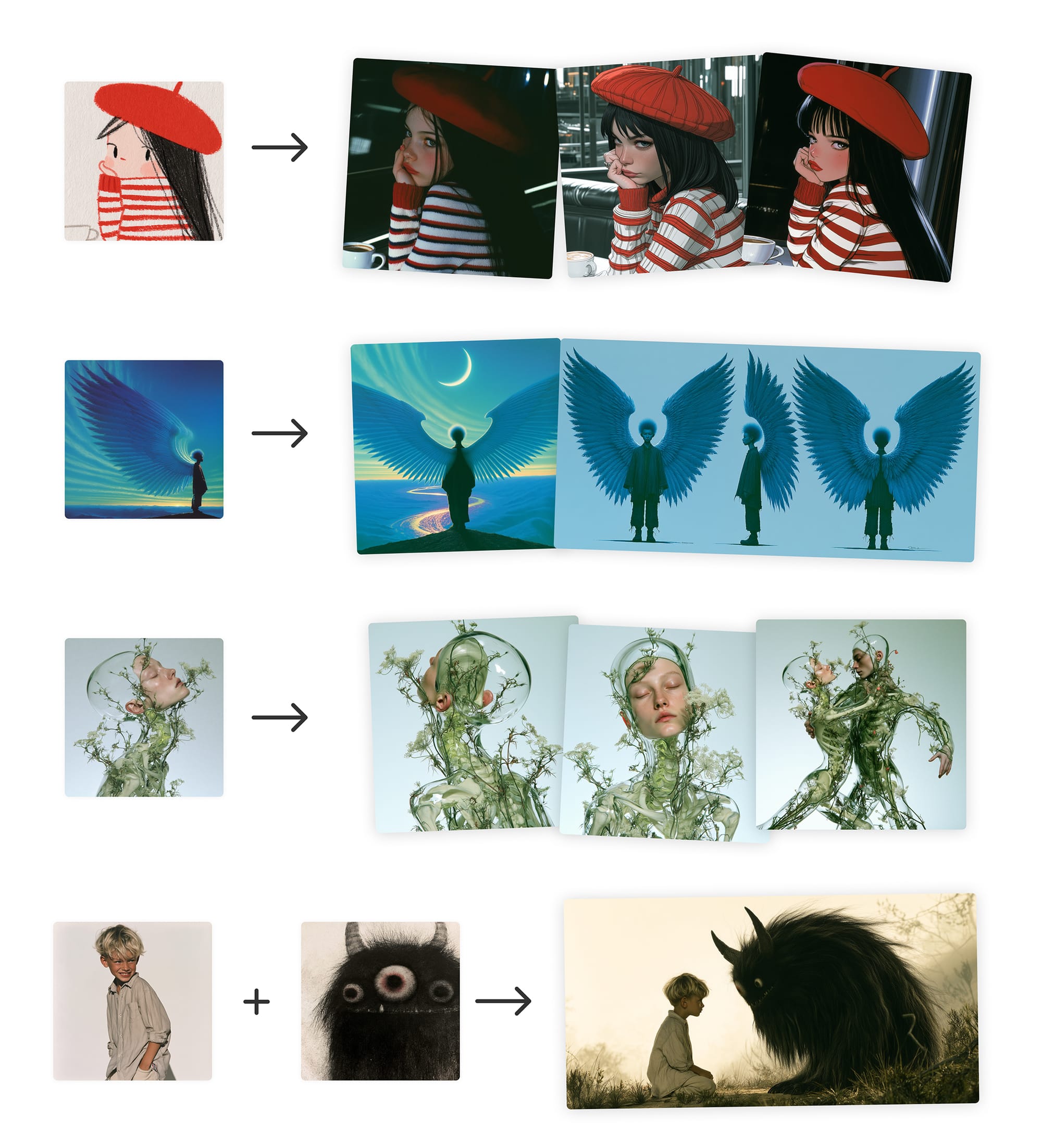
Style References Go "Mute": Parameters That Saved Words Now Need Them
The new model bundles text-to-image, 4 reference images, inpainting, and outpainting into one release. The most noteworthy thing here isn't how many features were added — it's the team's explicit warning. The target is moodboards and srefs, not all three style toggles. The exact wording: "moodboards/srefs may work best with some extra prompt direction."
The three style toggles are personalization, moodboards, and srefs — the switches that let the model remember your style. Personalization is supported, but it isn't the subject of this warning; the extra prompt direction applies to the reference-based tools. A tool designed to save words now demands more words to function.
The muscle memory built around "short prompt + style code" will break in bulk on V8.2. The more you lean on 4-image reference, inpainting, and outpainting, the more srefs behave like a "mood switch" — it sets the atmosphere, not the content. The prompt does that. The team notes on alpha.midjourney.com that the interface will "rapidly change," and has wired the bug-report entry point into the "crying face" emoji on the right side of the lightbox.
Front-loading instability into the UI signals that the edit model's capability boundaries are still being mapped out. Style stability isn't the priority this round. Until the next fast-follow update arrives, the most stable strategy is: take the style code you used to lazy-attach and write it back into your prompt.
The Team Is Personally Collecting Bug Reports — UI Still in Draft
While pushing V8.2 to all users, Midjourney explicitly stated there will be plenty of edge cases — this isn't a posture for collecting praise; it's a posture for collecting incident reports.
The official wording is blunt: "There's gonna be a lot of edge cases." The supporting mechanism is already in place: when users see a failed result in the lightbox(Midjourney's full-size image viewer page), they can click the crying face emoji on the right to report it, or submit the jobid(the unique identifier Midjourney assigns to every generated image) and image URL together.
The UI redesign direction isn't finalized. The team updated both midjourney.com and alpha.midjourney.com simultaneously, with the alpha side running continuous experiments — "lots of experiments on how to remake the interfaces." For ideas, users drop them in #ideas-and-features; for finished work, #edit-showcase. Two channels with two purposes: one is engineers gathering requirements, the other is the community demonstrating capabilities.
From V8.1 becoming the default model in June, to the Draft mode preview released on June 16, to the V8.2 edit model opening to public beta on August 27 — the cadence is clearly accelerating. Editing, generation, and UI framework are being split into separate modules pushed in parallel. This is the "trade alpha-stage stability for iteration speed" approach.
A few verifiable observation points: check alpha.midjourney.com to see if the UI gets visible changes weekly; browse pinned or top-voted posts in #ideas-and-features — if the team merges a suggestion into the changelog, it means user feedback is actually flowing back into the product. Fast-follow updates are coming — V8.2 won't end with the current UI.
How to Try V8.2: Four Entry Points, Four Capabilities, and Why Your Feedback Matters More Than Your Generations
The V8.2 edit model is now open to all users, the UI is still in alpha, and bugs will be plentiful — here's what you can do right now, and what to watch while the UI remains unfixed.
All four entry points are live: drag an image into the prompt bar on midjourney.com or alpha.midjourney.com, click "edit" in the lightbox, use the "edit" tab, or type --edit url... on Discord.
The model supports four capabilities: text-based image editing, up to 4 reference images in one pass, inpainting, and outpainting.
Personalization, moodboards, and srefs still work, but the team cautions that moodboards and srefs in the current version may need "extra prompt direction" to produce good results.
Pick an existing generation and try a text-based edit via the "edit" entry point to verify basic instruction response works as expected.
Upload 3–4 reference images at once to test multi-image blending, and observe whether subject consistency improves over the old omni-reference.
Run moodboards or srefs alone, deliberately adding directional language in the prompt, and compare the "naked run" vs. "with guidance" results.
For failed generations, first click the crying face emoji on the right side of the lightbox, then copy the jobid or image URL and submit them together.
Post UI redesign suggestions or edge case examples to #ideas-and-features on Discord; share successful work in #edit-showcase.
What to watch is alpha.midjourney.com. The team explicitly says it will "change rapidly and be full of experiments," meaning today's entry point layout may not exist tomorrow. Instead of treating it as a stable product, revisit the alpha site weekly to see which entry points survive and which get cut.
The original text provides no recommended prompt templates or parameter tuning guide. V8.2's edit model performance has no third-party independent benchmark to reference yet.
Given this information gap, the most stable strategy is: run the same task across multiple entry points, keep the jobids, and when the next fast-follow update drops, re-run the same tasks to measure changes with your own before/after comparison — rather than trusting other people's screenshots.
Source: Midjourney official Updates blog, "Edit Model for V8" (published 2026-08-27). Scope: official announcement, self-reported features and test entry points; no third-party independent evaluation data included.