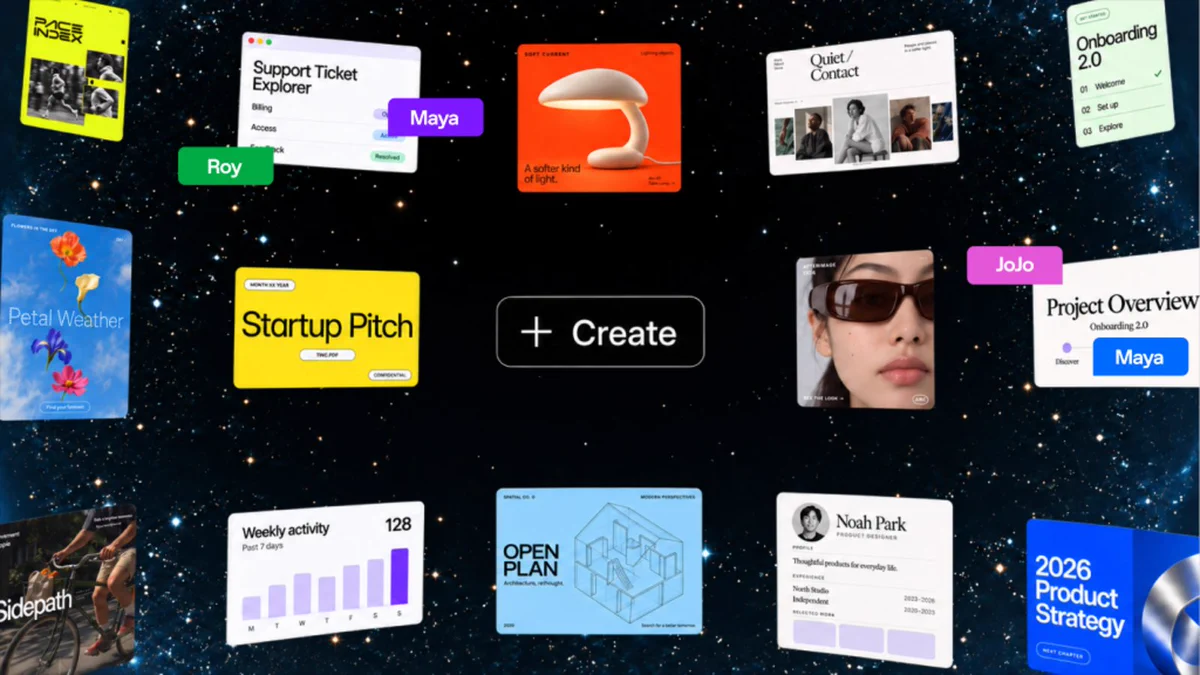
Open Space from the ChatGPT sidebar, and project pages, slides for next week, images, files, and uploaded materials no longer end up scattered across separate chats. This is a central place for AI-generated project outputs, collaborative editing, and automatic updates from connected tools. The first rollout is for Plus users, while mobile editing and stability are also improving.
A worktable that stays open in the sidebar
Space is a unified workspace in the ChatGPT sidebar where pages, slides, images, files, and uploaded content all come together.
It holds pages and slides that can be edited continuously, along with the materials needed to work on them. When creating a project or weekly report, you no longer need to move between multiple chat histories to find references, revise pages, and track files.
Pages and slides can also update automatically from external tools: to-do lists refresh with new feedback, project trackers stay aligned with progress, and itineraries pull in the latest version. When you invite collaborators, anyone with the link can join in and make changes.
What actually gets built inside a ChatGPT page?
A page, a chart, a slide deck — three outputs, one set of assets. The pitch is that you stop rebuilding the same material in three different tools.
ChatGPT already writes, researches, and generates images in one thread. The change is where that output lands: not in chat history, but on a page you can keep editing. Text carries the context, research results sit alongside as evidence, images become the visuals. OpenAI's own description of the feature is blunt — "Build pages with ChatGPT."
Numbers get a second life once they're on the page. They can become interactive charts you view, filter, and explore, instead of a static summary you just read. interactive charts(charts you can click, filter, and drill into) suit metric comparisons; they're weaker when you need the raw detail underneath. One official example: weekly metrics turned into slides with charts a team can edit, export, and explore directly.
The slide path is shorter still. An idea generates a slide with images and graphics already in place, and page content converts into presentation format. Writing the materials and building the deck draw on the same assets — no blank document, no second start.
Who can collaborate after generation?
Space does more than gather AI outputs. Once a slide deck has been generated, you can invite others in to edit it.
Revising a deck no longer means the creator opens the file and works alone. Team members enter the same presentation and keep building on what's there.
One condition: invitees need a ChatGPT account. They don't need permission to create Spaces themselves — an account plus an invitation is enough to join.
ChatGPT's feature page calls Space a “creation and collaboration space,” and the help documentation describes working on documents with others. Both describe the same setup: Space holds individual outputs and multi-person work side by side.
The official materials don't say whether every document type follows the identical permissions process. What's confirmed is joint document work and the ability to invite collaborators.
The practical effect on project work: AI produces the first draft, team members take over revisions. No exporting pages and slides to send by email or chat — editing access passes to teammates through an invitation inside Space.
How content keeps up with the latest developments
Automatic updates follow data from connected tools rather than rewriting content on a timer. ChatGPT Space lets pages and slides update automatically with new data from connected tools, keeping work products in sync with their sources.
ChatGPT provides a specific example of how this works: after a page or slide deck is set to update automatically, to-do lists stay current with new feedback, project trackers keep up with progress, and travel itineraries reflect the latest arrangements. The official materials do not disclose update frequency, trigger conditions, or supported tools, so “automatic updates” should not be understood as the feature deciding on its own what all external information should mean.
This capability depends on connected tools. A tool provides new data, and Space then updates the corresponding output, so users do not have to re-enter the same changes into every document. The official feature page also lists continuously updating pages as one use of Space, while supplementary materials explicitly note that pages can stay current with the help of connected tools.
Space stores more than final documents. The official description calls it a central home for project context, files, and shared pages. Together with its updatable pages, it serves as the place where project information is carried forward continuously.
Whether updated content remains useful to a team also depends on whether the relevant pages can remain shared and allow collaboration. The official materials do not specify the exact boundaries of automatic updates, so what can be confirmed is that it follows new data from connected tools rather than judging data quality on the user's behalf.
Plus gets early access, and phones can edit
Space is currently rolling out to eligible ChatGPT Plus accounts, and the official announcement has directly invited Plus users to try it. Content created on a computer can also be transferred to a phone for continued viewing, editing, and sharing.
The official announcement addresses eligible subscribers with “Plus users, welcome to Space,” indicating that the feature currently covers Plus users first. The help page says Space is gradually becoming available to eligible ChatGPT Plus accounts, meaning immediate access does not depend entirely on whether you are already a Plus subscriber.
If Space is not yet visible in your account, it is most likely because your turn has not come. The official materials do not say that all Plus accounts will gain access at the same time, so the only option is to watch the rollout notice on the help page for updates.
It is not confined to one place. Users can create and manage Spaces through the web or the ChatGPT app on a computer, and can open them on iOS and Android devices to view, edit, and share content. Thus, “editable on mobile” means Space content can be modified directly on a phone rather than merely viewed after being created on a computer.
Sources: ChatGPT's official X account and the OpenAI Help Center; feature scope, Plus-user availability, and mobile updates are presented according to official information.