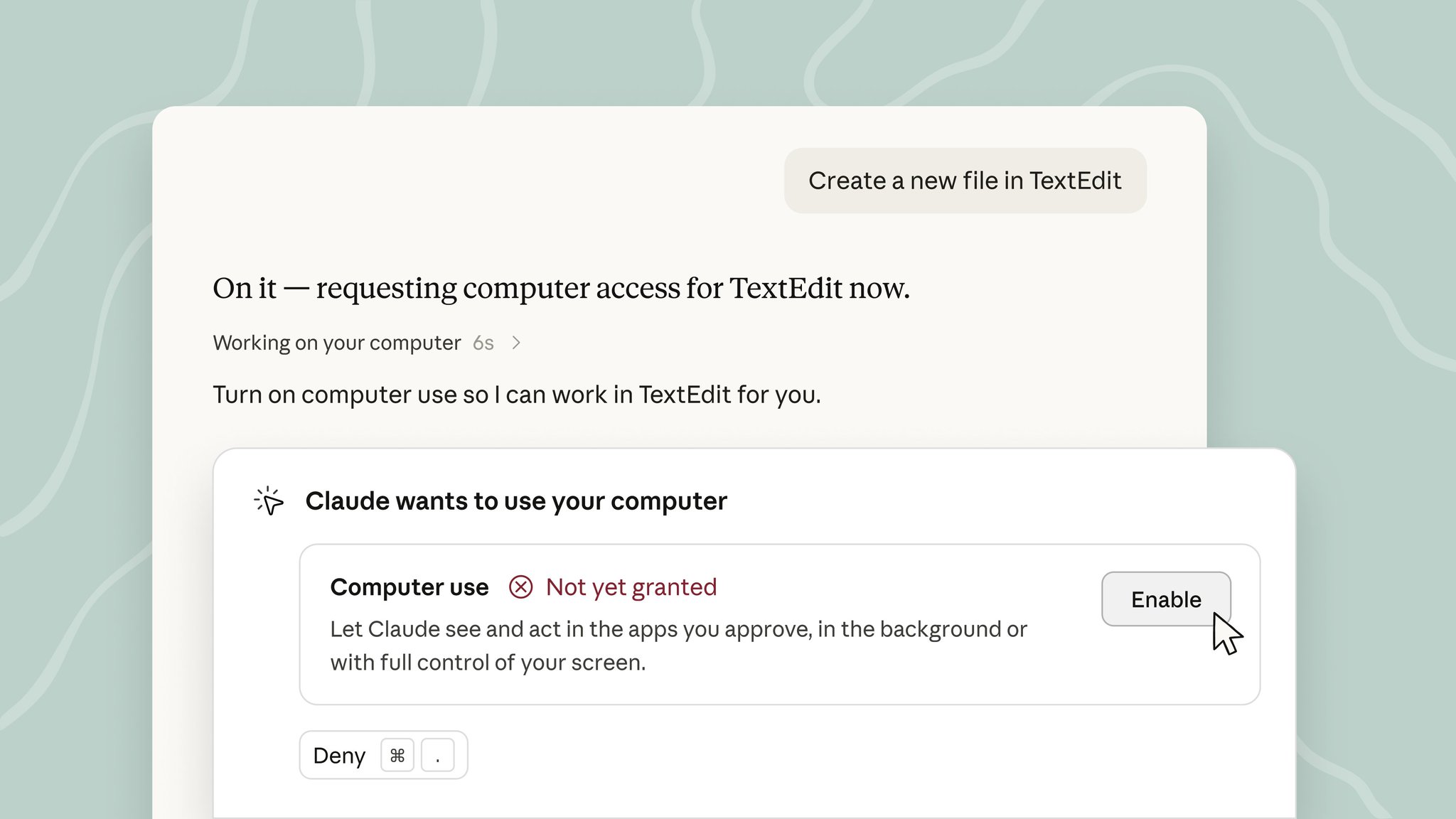
On September 2, 2026, Claude can officially operate your computer in the background. Hand it a desktop task, and it clicks, types, and opens apps on its own while you switch to something else. The difference is this: it shifts from a chat partner in a dialog box to an executor on your desktop. Currently limited to Pro and Max plan Mac users, in beta, with the toggle buried in Settings → General → Computer use.
Claude steps out of the chat box and takes over your screen
On September 2, 2026, Anthropic pushed computer use into background mode—you assign the task, switch back to your own work, and Claude opens apps and fills in forms on the other side.
Think of Claude as a new colleague who takes the mouse while you keep your own work open. This new colleague lives inside your computer with your permissions — that's why the toggle is off by default.
That afternoon at 7:06 PM, Anthropic's official X account @claudeai posted: Claude can now take over your computer in "background" mode within Cowork and Claude Code. Hand it a desktop task, and it clicks, types, and opens apps on its own while you keep doing other things.
As of publication, the post had 326,000 views and 5,800 likes. When Nous Research reposted it, they quipped, "You didn't have computer use before?" — as if computer use(letting a model see the screen directly and control mouse and keyboard) were old news.
The desktop docs explain what's happening underneath: local Cowork sessions run on a sandboxed virtual machine on your computer (a small virtual environment isolated from the main system), while remote Cowork sessions are hosted by Anthropic itself. In both modes, Claude works in an independent environment — it won't touch your files, and it won't interrupt you.
For now, the beta is limited to Pro and Max subscribers on macOS desktop. The toggle sits under Settings → General → Computer use.
Three cards: it moved from the chat box into your background
On September 2, Claude shifted from a chat tool to a background executor, opening apps and typing on your computer while you work on something else.
Only Pro and Max plan users on macOS can access this feature. Previously, Claude only responded with text; now it acts as a background executor, opening apps and typing on your computer. Anthropic described it on X as "clicks, types, and opens apps just like you would, while you work on something else."
The Code tab gives direct file access with real-time approval; Cowork runs in a sandboxed VM with no access to your system. This layering defines the risk boundary — you're handing over a fenced-off workbench, not your whole computer.
AI works quietly in the background—you barely notice
Hooking AI into your computer sounds like a sci-fi "takeover" plot. Anthropic's choice: nothing pops up on screen—the interaction window no longer blocks your view. Claude clicks, types, and opens apps on its own; the desktop looks exactly as it did when you walked away. That's the threshold: the key difference hides in "background."
The old "Computer Use"(the ability to let AI watch the screen, move the mouse, and operate software) was performative—Claude drew a highlighted box in the center of your display, requiring your nod of approval for every click. The new version lets Claude work without your stare.
Anthropic chose the opposite path: let Claude figure things out on its own in Cowork or Claude Code while you switch to writing code, answering email, or browsing the web. Code requires your watch; Cowork runs free. That's the risk boundary.
How to turn it on: that toggle mentioned earlier, available under Pro or Max subscription on macOS desktop, in beta. The help center defines Cowork as "an autonomous background agent that handles tasks in a sandbox, with its own environment." Local Cowork runs in a VM on your computer; remote Cowork runs in a VM managed by Anthropic. Neither disturbs your current active window.
So the real selling point of this version isn't that the AI is stronger—it's that you can't perceive it being strong. The screen doesn't move, so it seems like nothing's happening; by the time you switch back, the work is done. This way of using it is more dangerous than approving every step—and more habit-forming.
It starts clicking apps for you—where's the line?
The screen doesn't change — so you forget it's working. Claude used to just suggest and write code; now it clicks, types, and opens apps on your real desktop.
The September 2 update puts Claude into "background" mode in Cowork and Claude Code: you hand it a task, it clicks, types, and opens apps while you do something else. Local Cowork runs in a sandboxed VM on your computer沙箱虚拟机(a virtual environment isolated from the rest of the system—if it breaks, the host is unaffected); remote Cowork runs on machines managed by Anthropic. Both paths point to the same thing—AI no longer just produces text, it produces actions.
Give suggestions, write code, and if it's wrong you waste some time; click open apps, transfer money, delete files on your behalf, and being wrong has real-world consequences. Anthropic clearly sees this line too—their Cowork docs have a dedicated section on safe usage, and the help center has a separate page for configuring session security settings. Pairing a safety guide with an AI that can move things on your computer is itself an admission that the risk level has changed.
- When Windows and Linux catch up. The desktop client already supports Mac, Windows, and Linux downloads, but Computer use currently only lists Pro and Max plans within the macOS desktop app—how fast other platforms open up will directly determine reach.
- How fine-grained the official safety guidelines get on "what Claude should and shouldn't touch." A sandboxed VM is the floor; touching local files, online banking, or corporate intranets requires far more sophisticated isolation.
- Who's responsible when things go wrong. If the AI deletes a file by mistake or sends the wrong email, does the user bear it or does Anthropic cover it? There's no verifiable answer from the official side yet—the docs only cover "how to use it safely," not "who to call when it crashes."
A signal worth taking seriously: if within the next 3 months, Anthropic publishes a tiered permission scheme for enterprise scenarios (e.g., separating "read-only," "writable files," "API-callable") with a rollback mechanism for mistakes, that means they're actually building infrastructure for this new "agent" identity. If the docs stay stuck at "please use carefully" general admonitions, it means the safety framework hasn't kept up with the expanding capabilities.
Another observation point: when third-party independent testing emerges. Anthropic's own demo success rate is one thing; the failure rate, error types, and supervision required in real-world workflows is another story. Linux is still labeled "beta," and Windows runs through WSL (a Linux compatibility layer on Windows)—both of which suggest cross-platform stability still has room to grow.
Because the screen doesn't change, you can't sense it being strong — until it's already acting.
What you can try now, what to wait for
Pro and Max Mac users can verify it immediately; for most others, all you can do right now is watch the channels and understand one key distinction.
The hands-on path in the source material only covers Mac desktop: you need a Pro or Max subscription, download the desktop app, flip the toggle mentioned earlier to enable the feature, then give Claude a desktop task.
Cowork mode runs in two environments—local Cowork spins up a sandbox(that isolated environment mentioned earlier) on your computer, while remote Cowork works in a VM managed by Anthropic. Neither touches your main system—this is explicitly stated in the official docs.
For Windows and Linux users, the official desktop client does have a download entry, but Computer use is only open in beta on macOS for this release. The docs literally say "Available in beta on Pro and Max plans, in the desktop app on macOS," with no timeline for other systems. Whether Team and Enterprise are synced, and when, isn't mentioned in the source—we can only wait for official updates.
One key distinction worth understanding upfront: the desktop app actually has three tabs—Chat, Cowork, and Code. "Background operation of your computer" this time refers to Cowork mode. The Code tab is an interactive coding assistant that accesses your local files and requires your approval at every step; Chat is just regular conversation.
In other words, Claude doesn't take over your computer by default—which mode you enter and what permissions you grant are entirely up to you.
There's no third-party retesting yet. Anthropic has put out capability descriptions and activation paths, but the model's success rate, failure rate, and any crash cases in real desktop tasks—public data is zero. To truly verify, you have to try it yourself—and Mac users have that option right now.
Confirm you're on a Pro or Max subscription, on macOS, with the latest desktop client installed.
Go to that toggle mentioned earlier and turn the feature on (path per Anthropic's official help center).
Switch to the Cowork tab, start with local Cowork and run a low-risk task (e.g., have it open an app and type some text), and observe whether it's really operating inside the sandbox rather than touching your main system.
Run the same task with remote Cowork and compare the response speed and result differences—record your observations.
Windows, Linux, Team, and Enterprise users: no actionable steps yet—watch Anthropic's official X and release notes for sync timelines.
Source: X: Official account of Claude (@claudeai) feature launch announcement on September 2, 2026—anthropic first-party vendor statement.